Search
The search page is where you find fault cases from other FaultNet users. It's one of the most useful parts of the app; if someone else has had the same fault on the same car and cracked it, you can find their case and resolution here.
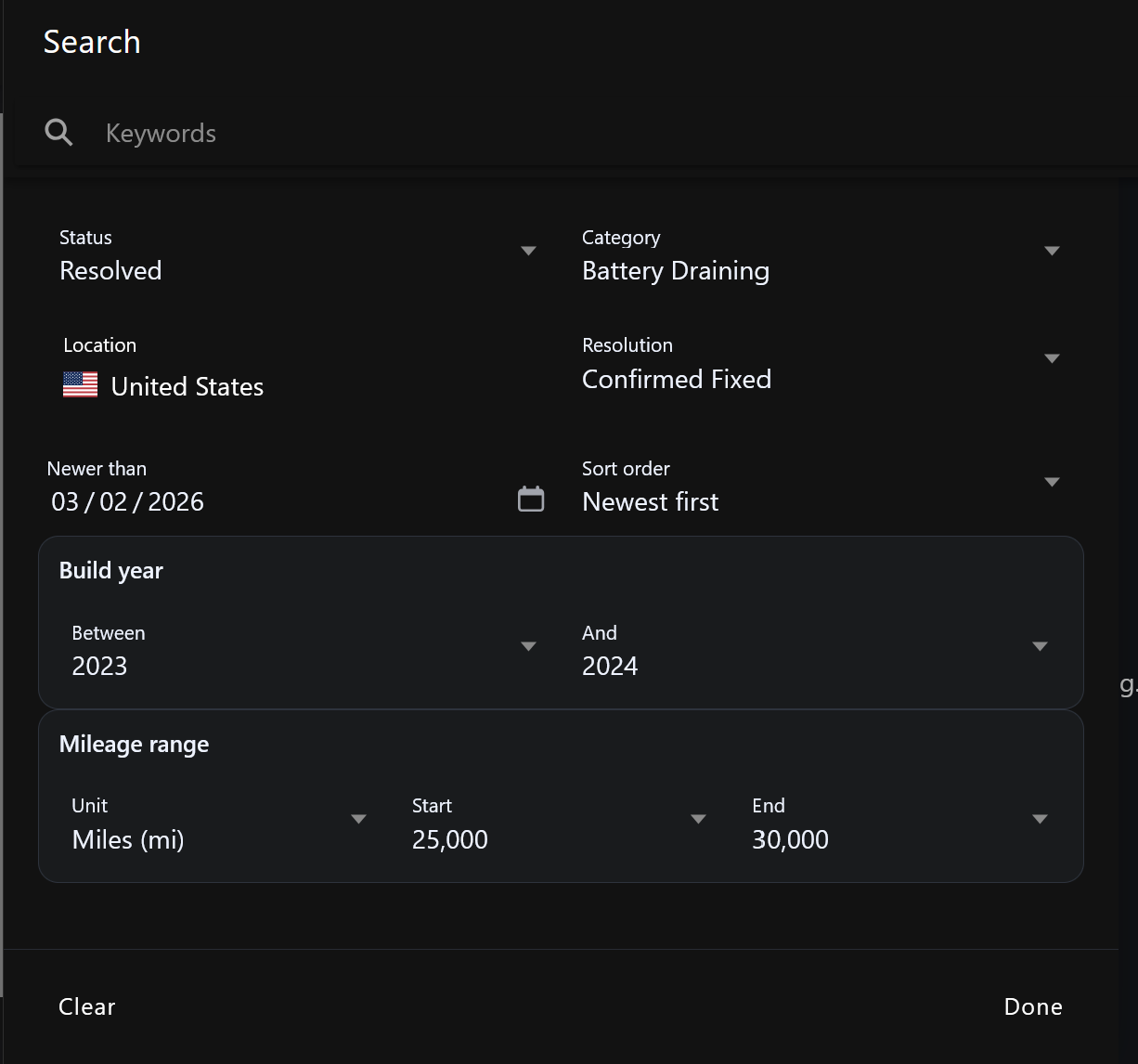
Basic search
Type any keywords into the search box, part descriptions, symptoms, fault code descriptions or anything else. Results update as you type.
Sort order
Use the sort toggle to switch between:
- Newest first — most recently updated cases at the top
- Oldest first — useful for finding cases that have had more time to accumulate a resolution
Vehicle filters
Tap Filter to narrow results to a specific vehicle. You can filter by:
- Manufacturer
- Model
- Variant
- Generation
These vehicle filters are available on all accounts.
Advanced filters
Pro feature
Advanced filters let you get really specific about what you're looking for.
Pro users can filter by:
| Filter | What it does |
|---|---|
| Conditions | Show only cases where the fault happens under specific conditions — cold start, idle, under load, highway driving etc. |
| Systems | Filter by the vehicle systems involved — Engine, Transmission, ABS, Suspension etc. |
| DTC codes | Find cases that include a specific fault code — great for "who else has had P0300 on a 2015 Golf?" |
| Country | Show cases from a specific country |
| Resolution type | Find only cases that were resolved in a particular way |
| Updated since | Show cases that have had activity since a specific date |
| Mileage range | Filter to cases where the fault appeared within a specific mileage window |
Reading results
Each result card shows:
- Case title and category
- Vehicle info
- Status badge (Active / Investigating / Resolved)
- Mileage and country
- Last updated date
Tap a card to open the full case.
Finding similar cases to yours
The quickest workflow for finding similar faults:
- Go to Search
- Use the vehicle filter to narrow to your make and model
- Enter your DTC code or a keyword describing the symptom
- Sort by newest to see recent activity
- Filter by Resolved status to see cases that found a fix