AI Analysis
What it does
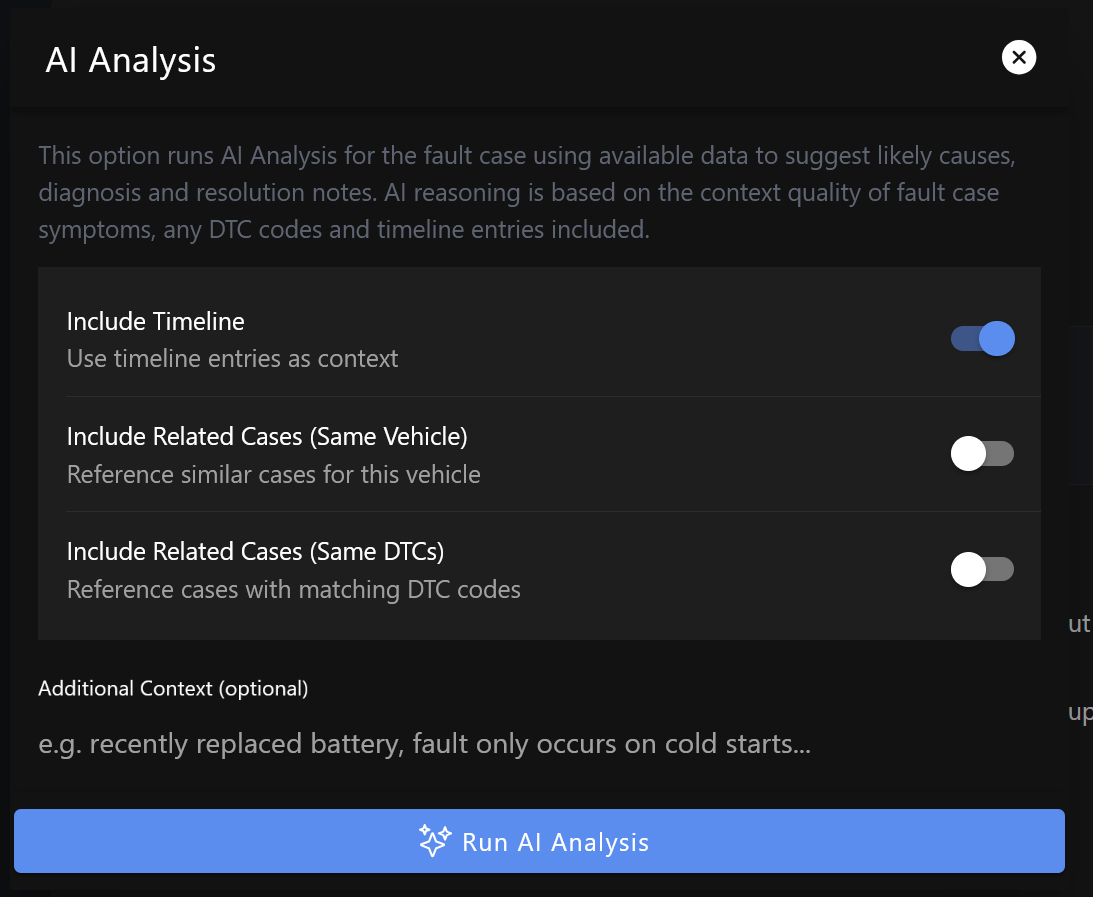
AI analysis looks at everything in your fault case; title, symptoms, DTC codes, conditions, affected systems, vehicle details and optionally its related timeline notes. You can also optionally cross reference other simlar FaultNet cases on the same vehicle. It returns you a structured analysis of the most likely causes.
You get:
- Likely causes — a ranked list of the most probable root causes
- Diagnostic steps — a step-by-step procedure to confirm or rule out each cause
- Resolution notes — what typically fixes each cause
- Confidence level — an overall confidence score for the analysis
This isn't a magic fix, it's a starting point. It's designed to help you know where to look, not to replace proper diagnosis.
Running the analysis
- Open a fault case
- Tap the Analyse button (sparkles icon, top of the page)
- The request is queued and processed in the background — it usually takes 10–30 seconds
- When it's ready, the AI Analysis section appears on the case page
The analysis button is only available on cases you created or have editing rights on.
Reading the results
The AI Analysis section shows below the case details. Each suggested cause includes:
- A description of the cause
- A confidence percentage
- Recommended diagnostic steps
- Notes on how it's typically resolved
Re-running the analysis
If you add more data to the case after the initial analysis, new DTC codes, updated symptoms, new timeline entries it's worth running the analysis again. Tap the Analyse button again to queue a fresh request.
The previous result stays visible until the new one comes back.
Sharing the analysis
The analysis has its own shareable anchor link. Tap the Share icon next to the AI Analysis heading to copy a URL that links directly to the analysis section on the public case view.
What the AI considers
The analysis is based on:
- Case title and symptoms
- Vehicle make, model, variant, year and mileage
- DTC codes attached to the case
- Conditions (cold start, idle, highway, etc.)
- Affected systems
- Country / region
More data in the case generally means a more useful analysis. A case with a title, DTC codes, 4 conditions and an accurate description of symptoms will get a much better result than one with just a title and brief symptoms.
Pro feature
AI analysis is available on Pro accounts only. Upgrade to Pro →
Limitations
AI analysis is an assist tool and not a certified diagnostic service. It can point you in the right direction but it doesn't replace proper diagnostic equipment, workshop manuals or a qualified mechanic. Always verify any suggested repair before spending money on parts.